MacOS Forensics - Quick Intro & Artifact Gathering

This is a quick blog I wrote to show macOs type investigations. Not in any means a expert at this but this is a good start if you want to learn some stuff. Follow at your own risk.
File Structure
Heres a quick human readable view of your top level folders in / via Finder app 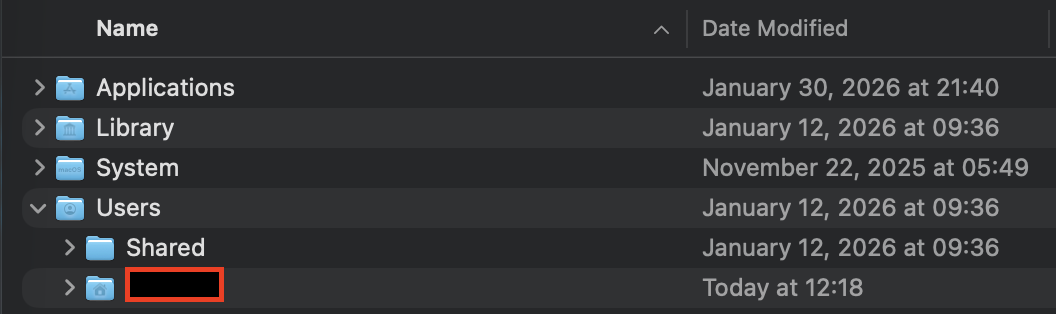
Note: If you want to take a view of everything in root folder, use a terminal and run ls /
- /Applications: all the applications on the system, all users able to access them
- /Library: subdirectories and files related to preferences and logs can be found here. this also exists in each /Users directory too
- /System: system related files, MacOS only
- /Users: all the users live in this directory.
When I do my investigations, Im looking specifically for either user artifacts or system artifacts. Well, there is application type artifacts that ill take a look at too (done by either a user or a system)
When we look at evidence collection, we typically will be looking for Plists file types, SQLite database files, bash_history or logs like /var/logs. There probably a lot more areas we can dissect but Im going to focus on Plists and SQLite database files.
Property Lists
Plists, aka Property lists, are MacOS’s “Windows Registry” files. It contains preferences information and also persistence like in /Users/iamr00t/Library/LaunchAgents/.
Plists exists for system and user based locations, but for the most part these are files that are located throughout your file system. Good luck.
WHY is this good -> youll be able to see configuration settings applied, user activties like last opened, recenty items, persistences from LaunchAgents, and environment details
User scope
~/Library/Preferences/~/Library/LaunchAgents/
System scope
/Library/Preferences//Library/LaunchAgents//Library/LaunchDaemons/
How to open plist files:
1
plutil -p ~/Library/Preferences/com.apple.dock.plist
SQLite Databases
SQLite dbs are great for artifacts. You can find browser history/cookies, messages and saved/ctrl+C type information.
WHY is this good -> you’ll be able to see events with timestamps, historical answers, and
User scope
~/Library/Application Support/<App>/…~/Library/Containers/<ID>/Data/Library/…~/Library/Group Containers/…
System scope
/Library/Application Support/…
How to open sqlite db files:
- install DB Browser for SQLite
Important DB Structure NeedToKnow
To get the full set of data, you want to make sure all three file structures below are present. If not, yuo may miss some key data.
artifact.db(main database)artifact.db-wal(write-ahead log)artifact.db-shm(shared memory file)
Script collect-artifacts.sh
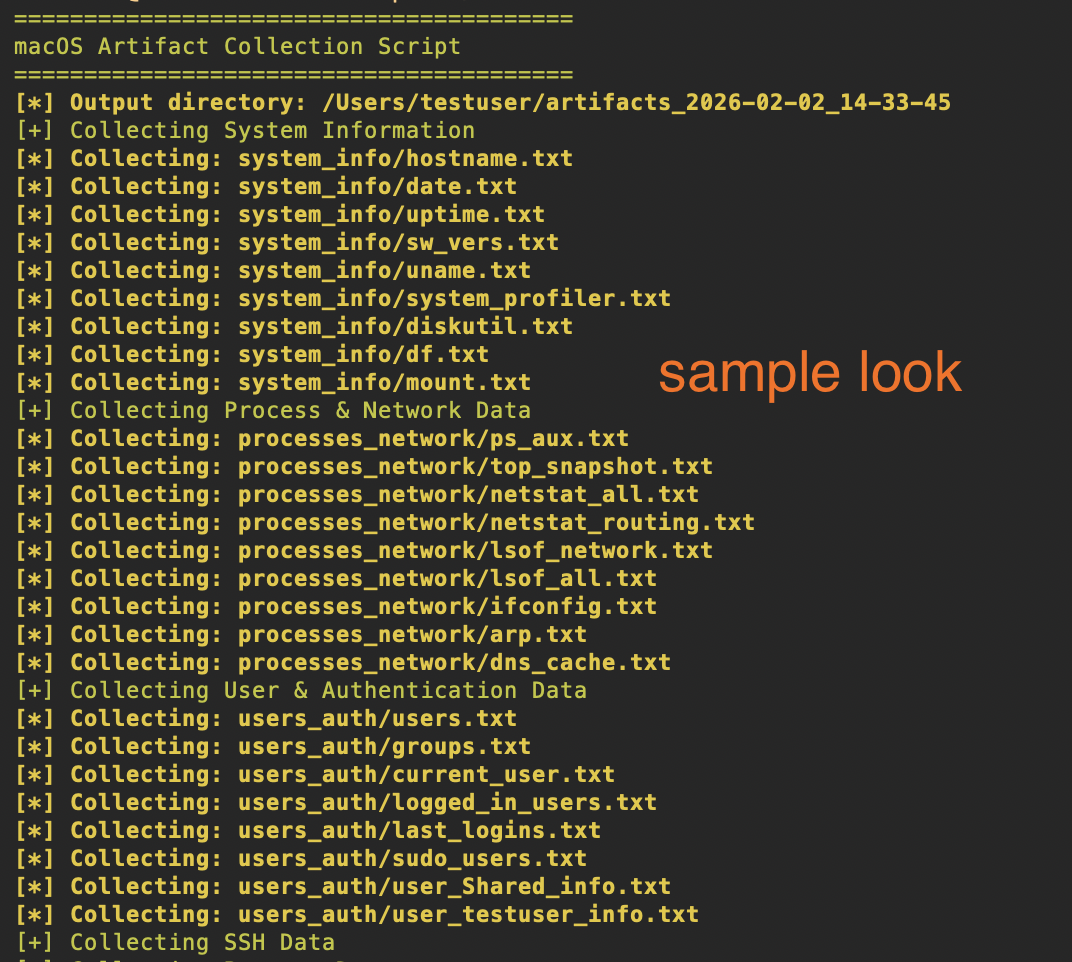
Without getting too into the weeds, this is a good script you can use to gather quick artifacts. It runs preliminary commands, grab plists and database files. Once its done, itll zip it and you can then start analyzing.
Note: It fetches logs, this may take a long time. If you don’t want them then comment it off in the script
The focus
- System Information: Hostname, OS version, uptime, hardware details, disk usage
- Process & Network Data: Running processes, network connections, etc
- User & Authentication: User accounts, groups, login history, sudo users
- SSH Data: SSH configs, known_hosts, authorized_keys, SSH key listings
- Browser Data: History, downloads, bookmarks for Safari, Chrome, and Firefox
- File System Artifacts: Downloads, Desktop, Documents listings, recent files (last 7 days), temp files, trash contents
- Installed Applications: Applications list, Homebrew packages, pip/npm/gem packages
- Logs: System logs, install logs, user logs, console errors, authentication logs
- Malicious Behavior Indicators: Shell history (bash/zsh), profile scripts, cron jobs, Launch Agents/Daemons, etc
Grab the script here
Before you begin, to run this scipt, you need sudo access to get system files and logs type artifacts. But not necessary, it just wont give you everything you need
1
2
chmod +x /Users/CHANGE/collect-artifacts.sh
sudo ./collect-artifacts.sh
Output automatically creates and compresses everything into your $HOME as artifacts_YYYY-MM-DD_HH-MM-SS.tar.gz
Sample Look