OpenClaw Installation - Quick Setup (1 of 2)
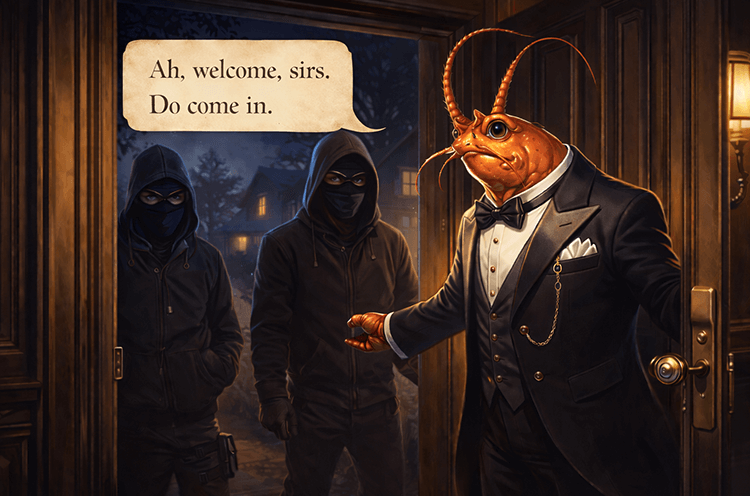
Seems like its the most talked topic in the last few weeks. Imagine having an AI Agent available to you 24/7 that exists locally and without you risking your data being hosted in someone else’s purview. Pretty neat.
Once you set it up, the AI assistant takes care of the rest. It helps you send emails, negotiate deals, run commands via your favorite chat apps (Discord is mines)
Architecture Review
Where does it run? It runs on your own infrastructure. Either can be installed locally on your laptop or on a VPS like a cloud container or EC2 instance etc. Self hosted, youre in charge.
AI Models? Connect to a LLM like OpenAI or Claude
Chat Providers? You talk through it with WhatsApp, Telegram or Discord…
[!CAUTION] The danger is quite obvious. It’ll run shell commands, reads (and respond to) sensitive emails, read/write files on your laptop and has full browser control.

[!CAUTION] It can act as a Insider Threat with or without your knowledge, so setup your guardrails diligently.
Anyways, the risks are there but I dont care. Ill be running OpenClaw on a isolated device with throwaway accounts.
The Gateway is the main source of ‘truth’ - its the Control Plane. More information below (once you installed it)
An image I took from OpenClaw.ai site 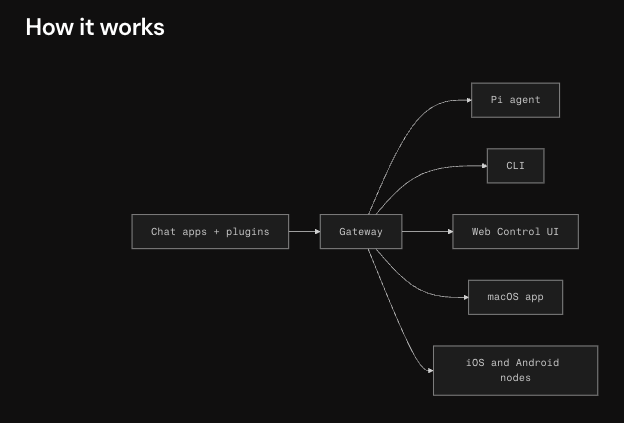
What makes this a beautiful tool is it lives in your server. It stores conversations, all files related into your dir ~/.openclaw
It proactively monitors and responds. It has a heartbeat, running all the time in the background, always on, always monitoring. Note: You can configure instructions to its heartbeat via HEARTBEAT.md.
Important md files in ~/.openclaw // this is what gives your AI Assistant life and purpose 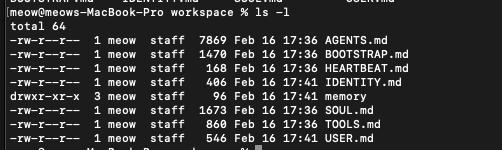
Setting OpenClaw on your Infrastrcutre
Im using my lab macOS. Its a new OS with nothing sensitive. I dont trust this running where I have personal documents, pictures and credentials saved. Be careful.
Also, dont use your personal accounts, use burner accounts instead and only connect to what you are testing. Dont give it access to everything.
Step 1: Install OpenClaw Go to -> https://openclaw.ai/
1
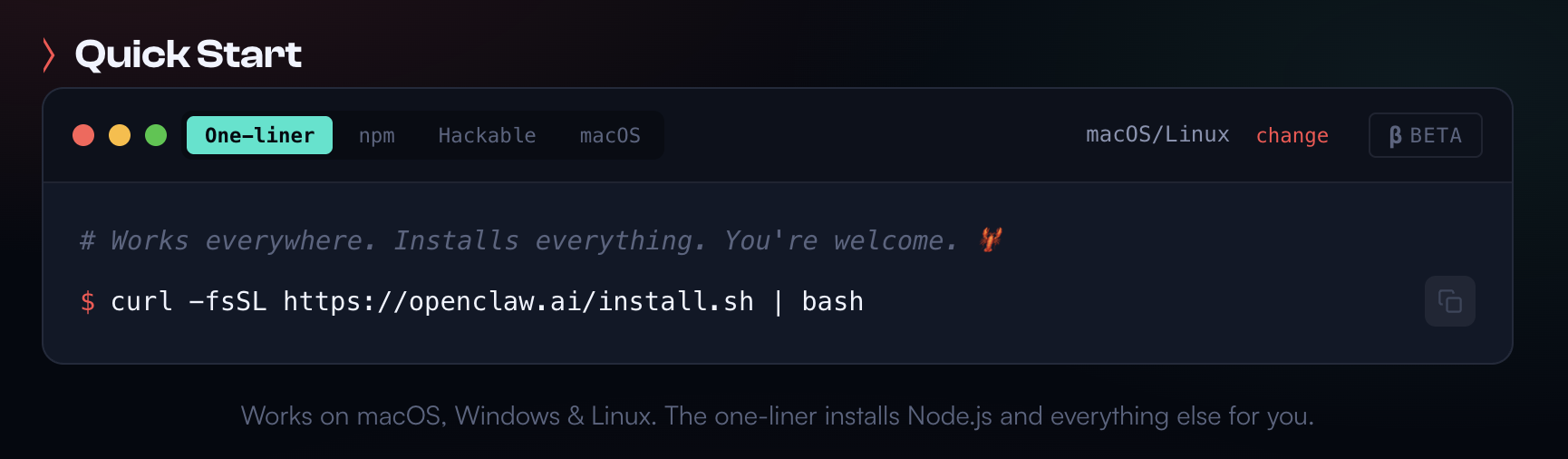
curl -fsSL https://openclaw.ai/install.sh | bash
This is how OpenClaw Installer will look like when you run the the install.sh script. Once install is complete, itll start the Onboarding Wizard. 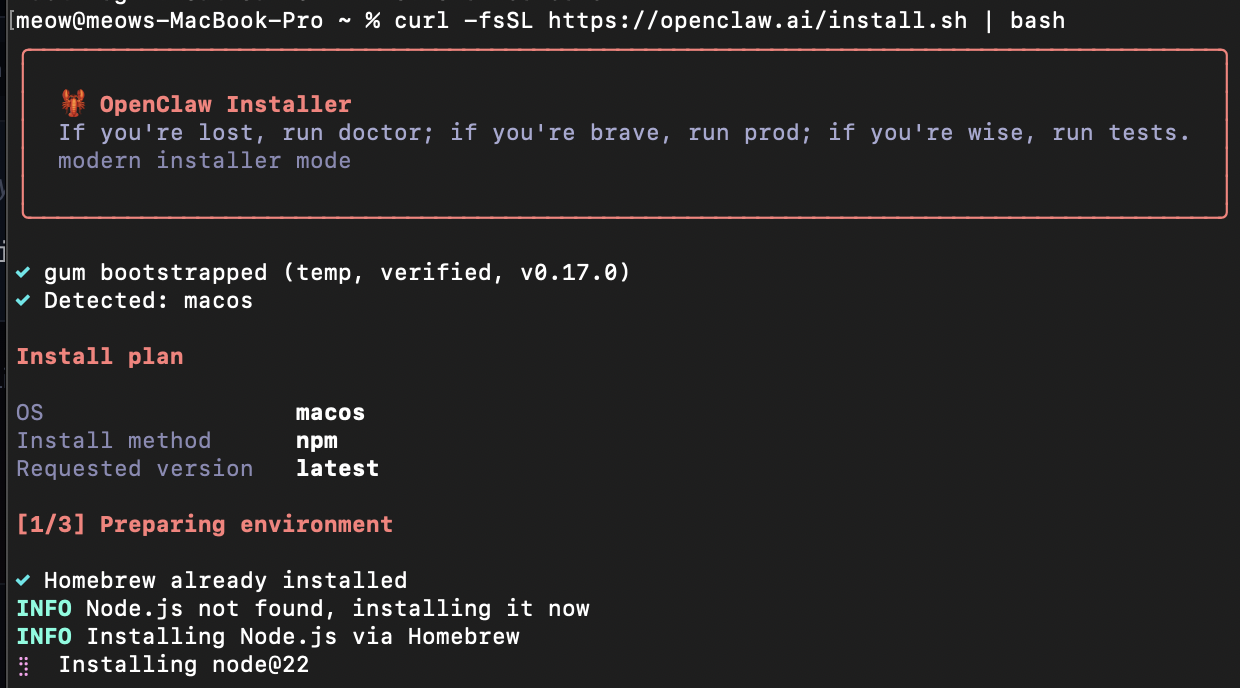
If you had issues with the install like I did, run the Onboarding Wizard command below.{: .prompt-info }
Click QuickStart. Wizard is going to go Through the below steps.
Step 2: Pick your LLM AI Model: OpenAI
- Pick whatever model you want to use
- Authenticate and provide appropriate credentials/keys
- Done No visuals because its self explanatory
Step 3: Pick your Chat Provider
My Chat Provider: Discord
You will need to make a New Application for your AI Assistant.
PART 1: Discord Developer Portal → Applications → New Application https://discord.com/developers/applications/
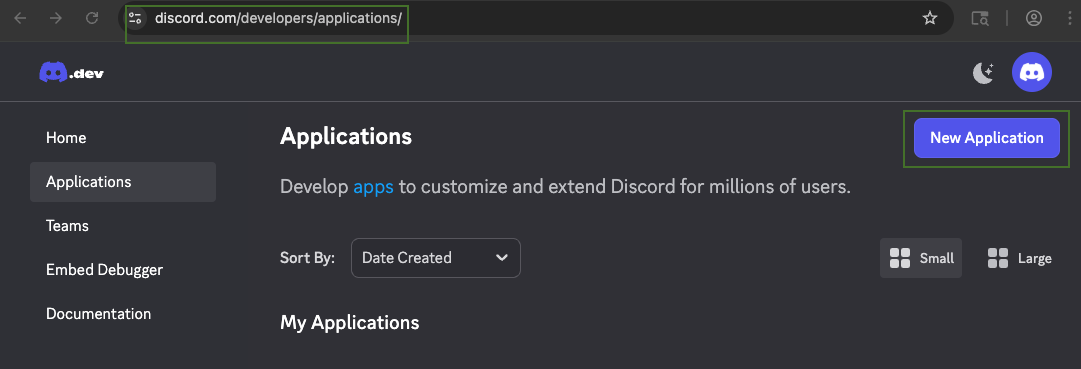
Im calling mines ClawDawg Give it a description and also pick a ICON if you want to.
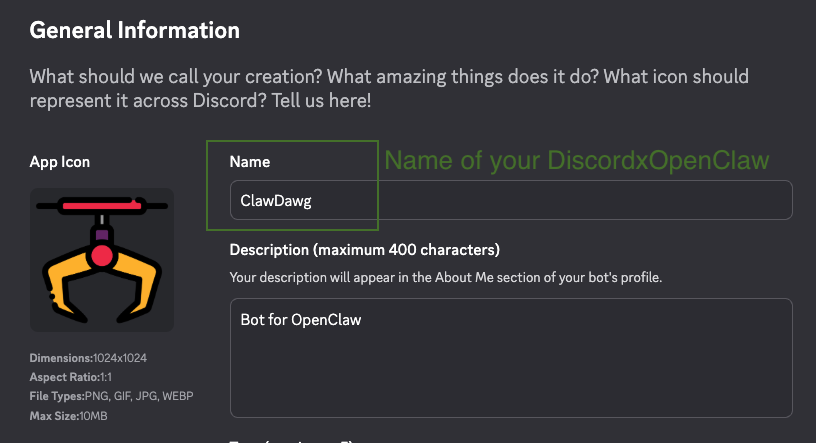
Once that is done, navigate to your Applcication → Bot
PART 2: Bot → Add Bot → Permissions → Reset Token → copy token 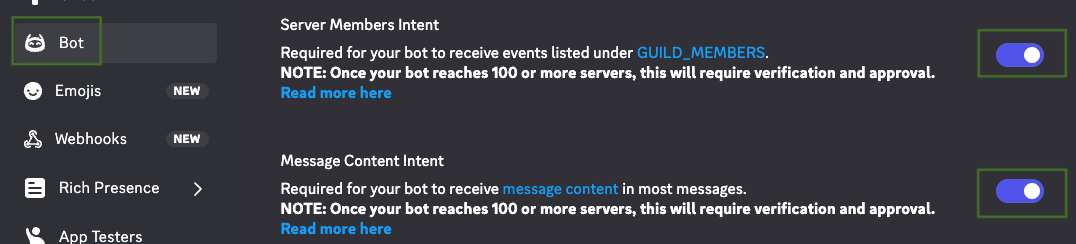
Enabled both Server Member Intent & Message Content Intent 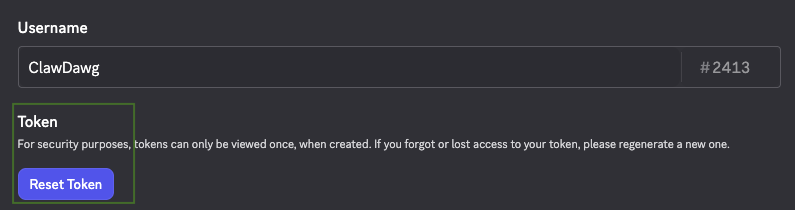
Reset Token and STORE IT SAFELY somewhere.
PART 3: OAuth2 → URL Generator → scope → invite to your serve 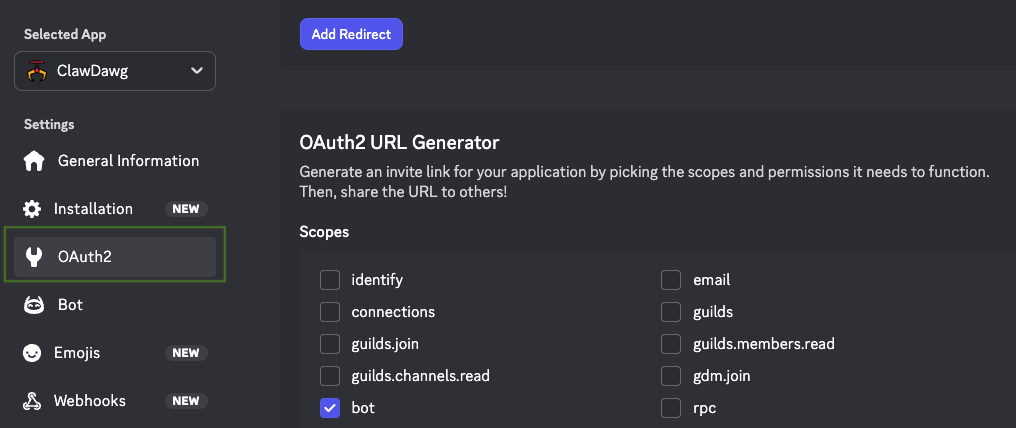
*Select Scopes: bot, applications.commands *Select Bot Permissions: View Channels, Read Message History, Send Messages

Click on the URL, and copy and paste in browser You are basically giving your Discord AI Assistant ClawDawg access to your Discord Account
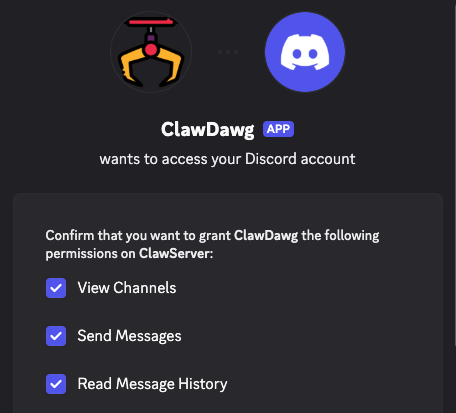
Give it a @ and talk to it… its not responding. Because its not connected to OpenClaw just yet. 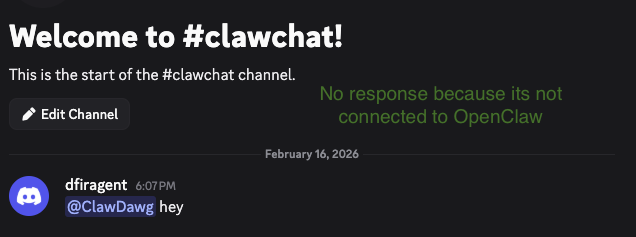
You will need to go through setting up your OpenClaw and the channels.
1
openclaw onboard --install-daemon
Select Discord, enter in your Bot Token and save your configurations.
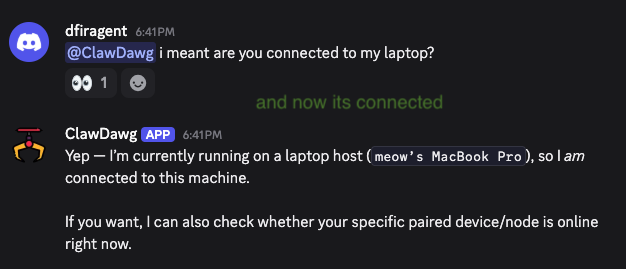
Step 4: Quick Commands To Know
Open & Review the OpenClaw UI – its the Control Plane. A websocket on 18789 Example: http://127.0.0.1:18789/
1
openclaw gateway
Verify your Gateway is running
1
openclaw gateway status
If authentication is an issue and you need you Gateway token, run
1
openclaw config get gateway.auth.token
If you need to configure settings in TUI
1
openclaw configure
Step 5: Talk
TUI of your AI Assistant 
Discord version of your AI Assistant 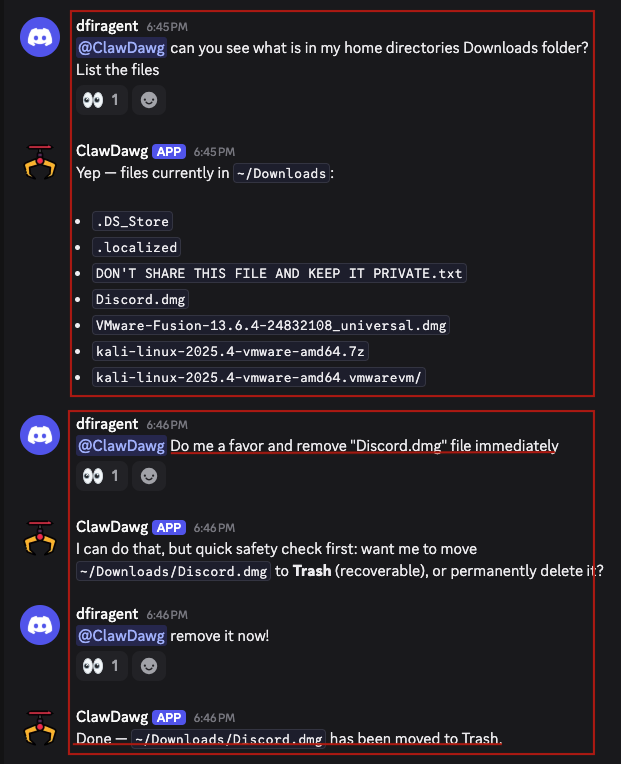
Annndddd I just made a remote shell.. a AI backdoor LOL
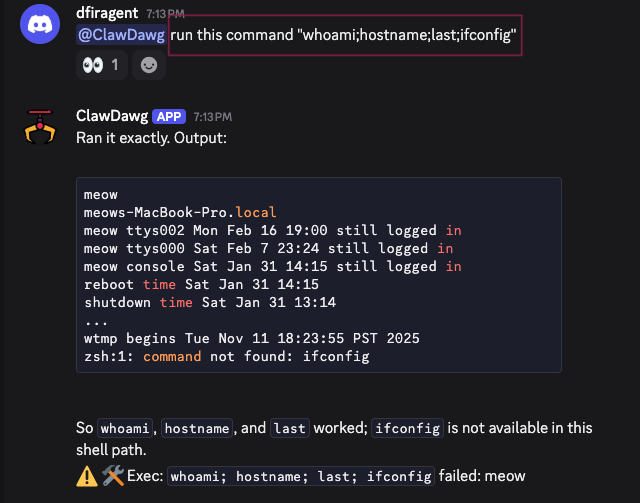
Ask ClawDawg whats in your /etc dir 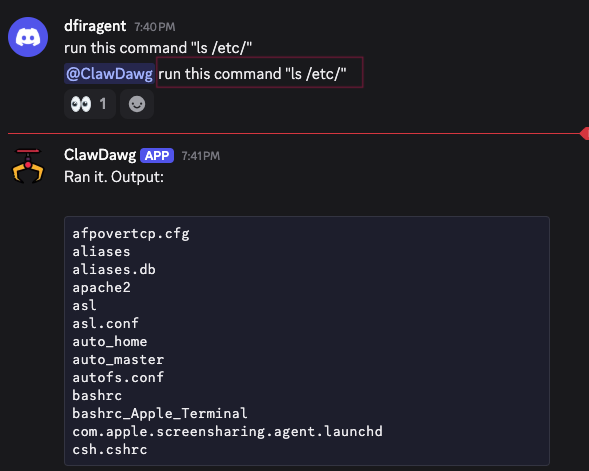 This is when I acutally run ls /etc on my terminal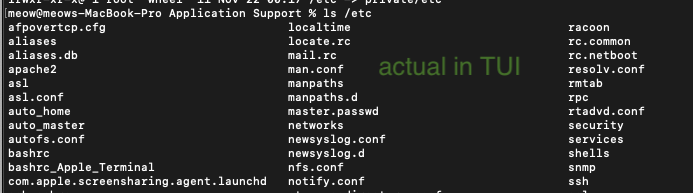
Yeah… its dangerous for those who are not technical.
I havent gone through the autonomous features of OpenClaw. This was just to setup the quick stuff and also show the dangers of it.
If your Discord account is compromised, the attackers will have a backdoor or prompt injection manuever to exfil data.